Bypassing Third Party Networks With Zerotier
Public Transport - Hotels - Cafés - Universities. Everyone likes having internet access anywhere, and most know public Wi-Fi is not always secure. When you send your traffic through a third party network, it's liable to be snooped on. Sure, TLS goes a long way, but most are still using plaintext DNS. Do you really want McDonald's knowing all the sites you're visiting? Perhaps they're even blocking access to your favourite websites...
"I know this one! I'll use a VPN..."
There are so many commercial options and they all offer clients for mobile and desktop devices. Here's a problem - what if you have multiple devices? What if they want to talk to each other? What if there's a device that you can't install the software on, or can't sign up to the Wi-Fi?
My personal solution combines my own hotspot with a full site-to-site solution connecting to my home LAN, through a virtualised ethernet switch that works across the internet called ZeroTier. In this post, I'll journal how I arrived at this solution and why.
What's Site-to-Site Again?
With traditional site-to-site VPNs, the internet to carries private traffic between multiple physical locations, each of which can have multiple clients that need to communicate. A typical use case would be businesses wanting operating out of multiple geographical locations.
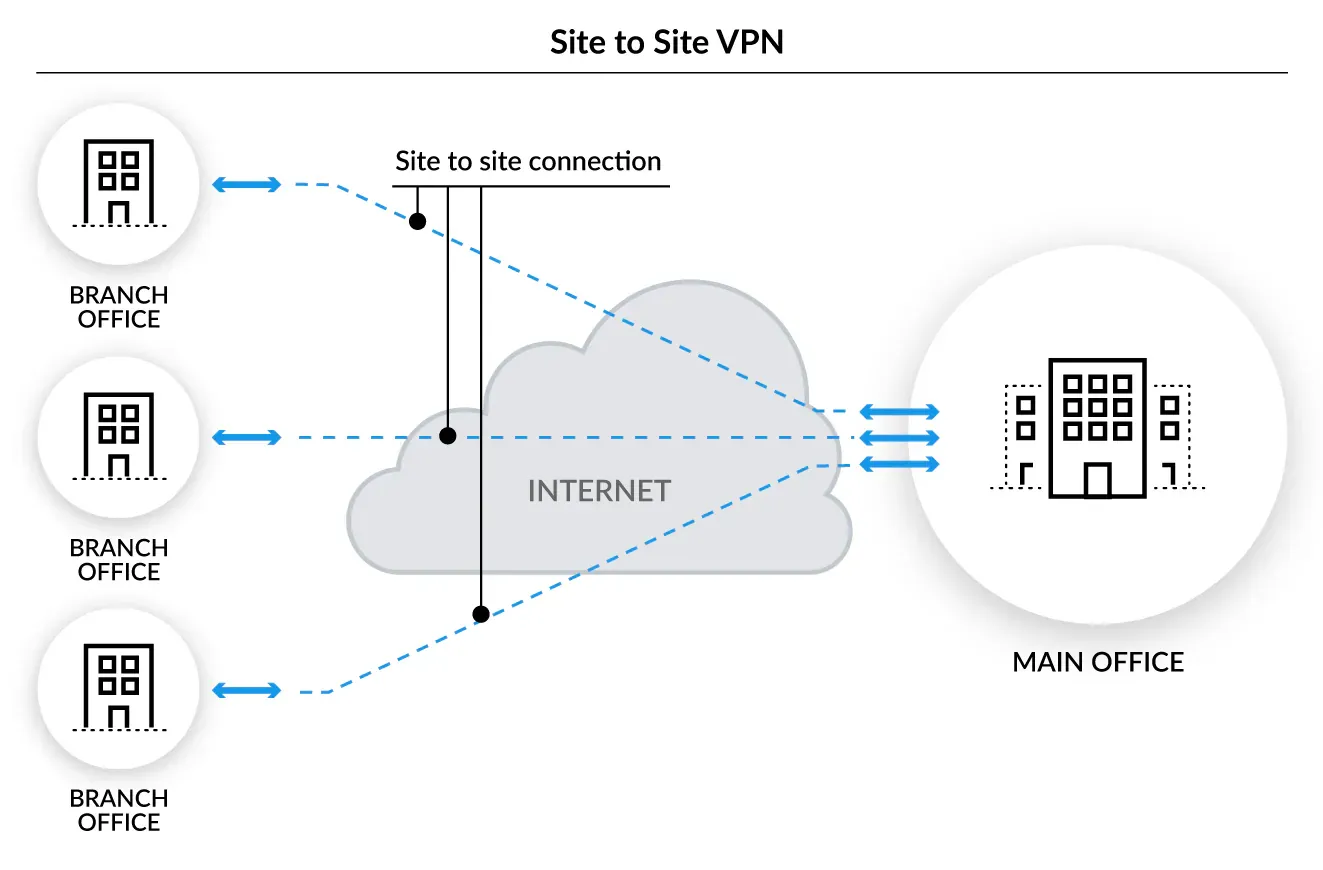
If you have a single remote device, you could just use a VPN to gain access to your main network, but what if there are many devices? It takes time to generate keys and set up configs for each device. I could use something like Tailscale to automate this, but what if a device is so locked down I can't install the client on it? You could use something like WireGuard on a gateway to create a single site-to-site tunnel, but you'll have to mess with IP forwarding rules.
How Is It Done?
The classic solution is to setup your own remote subnet behind a gateway device that uses NAT and forward the traffic upstream. It's basically what happens when you hotspot your phone to share it's connection. What your phone doesn't allow you to do (unless it's rooted), is send all that traffic down a VPN to get around any pesky restrictions.
For my purposes I eventually went one step further. Using ZeroTier, I bridged my home LAN and my remote devices at the Data Link Layer (Ethernet) into a single network, using my home router as the gateway.
The distinction here is subtle, but the biggest benefit is that it means I don't have to really bother with ANY L3 or above protocols - no (or very little) firewall management, NAT rules or IP routes. It's the slightly more technical equivalent of plugging each of my devices into an ethernet port on my home router.
What's ZeroTier by the way?
ZeroTier is a Smart Ethernet Switch for Earth. It's an open source Virtual Ethernet Switch that works across the internet using a cryptographically addressed and secure peer to peer network. It emulates Layer 2 Ethernet with multipath, multicast, and bridging capabilities.
Similar to other P2P technologies, it will attempt NAT traversal to establish peer connections, but also has the ability to use ZeroTier's relay servers should this fail
Users can create and configure virtual networks using the ZeroTier Central web UI.
(The Problem)
My personal need stemmed from my frustration living in university halls, with all my devices sitting behind a firewall I don't control and devices that cannot talk to eachother - think IoT, smart speakers, lights and TVs. Many halls, including mine, offer the ability to create private VLANs to enable IoT communication, but mine specifically didn't work with Chromecasts or any Google Home Speakers.

8.8.8.8 and 8.8.4.4. The firewall was actually blocking all traffic to these IP addresses outright.It's not even possible to redirect the DNS queries at the gateway either, because the DoH traffic is encrypted. I suppose you could split tunnel only the blocked traffic through a VPN, but I'm sure that has it's own pitfalls.The Journey.
Step 1. Getting my own AP
Unfortunately my room didn't have an ethernet port, so I'd be using the Wi-Fi connection for internet access. I needed a device that could work as a Wi-Fi client and host an AP for multiple clients at the same time with decent bandwidth.
I experimented with various solutions including a Raspberry Pi 4B, and an old rooted android phone. The former struggled with it's underwhelming BCM4345/6 modem. The latter didn't have any physical ethernet ports which I wanted for some hard wired devices.
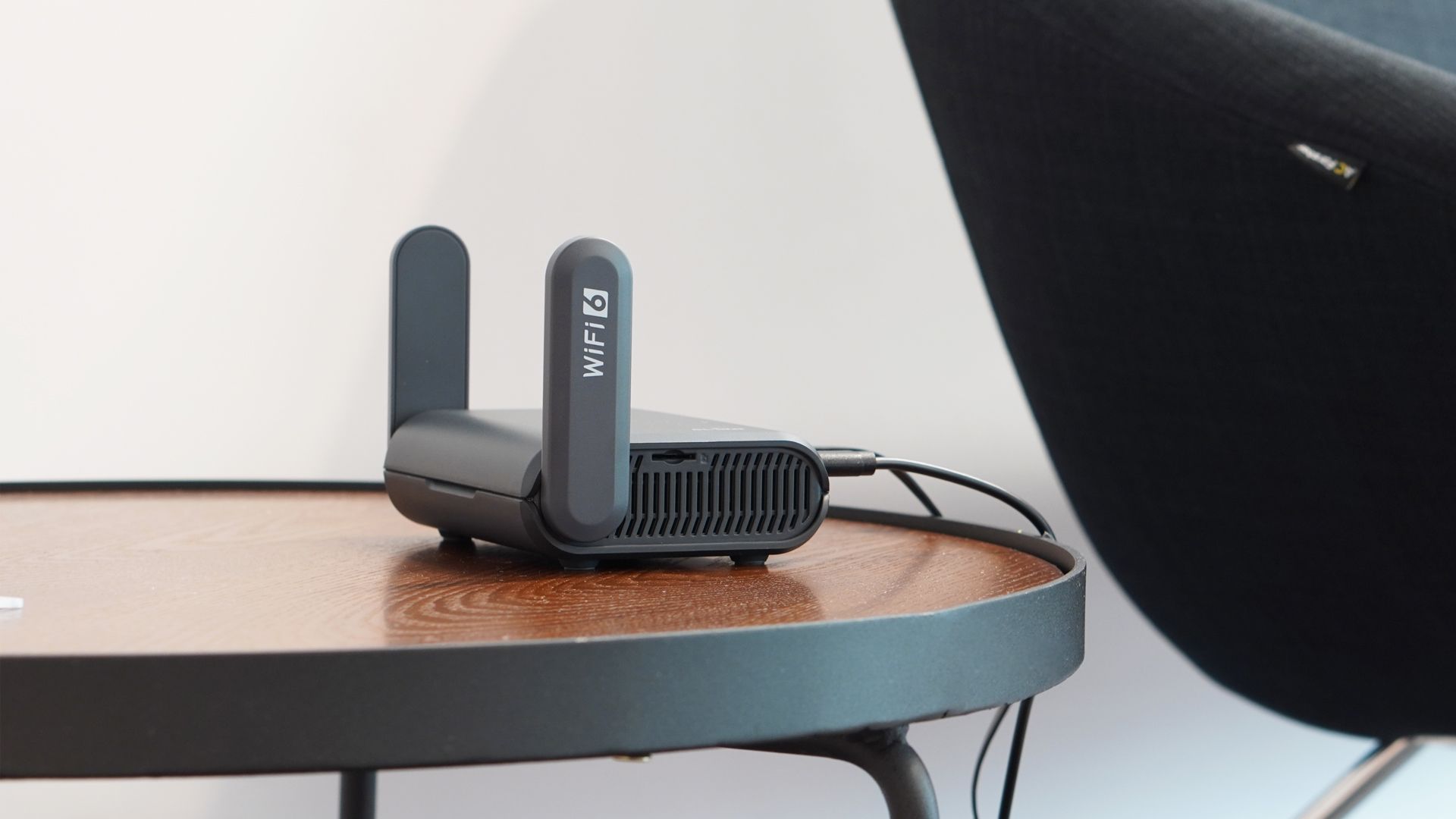
I eventually pulled the trigger on a GL.iNet Slate AX travel router. The company has a solid reputation for travel routers, marketing them for pretty much the same scenario inside third party networks, and under the hood it runs OpenWRT which has wide support if you ever want to go off script from their user-friendly admin panel. It's the only device I purchased for this and really alleviated the jankiness of my set-up. It also natively includes a Wireguard client, and even a Tailscale and Zerotier plugin.
Step 2. Escaping the Network
Now my devices could definitely discover and communicate with eachother, I had internet access from most of my devices, but my Chromecast and Google Home Speaker still didn't. So, I was going to need to tunnel the traffic to somewhere with an unrestricted internet connection. There are a number of things I tried:
Option 1: 3rd Party VPN Service
If you use a VPN service such as NordVPN, Surfshark, or any number of providers, you can aquire their Wireguard or OpenVPN config and use that. I use NordVPN, and while aquiring their Wireguard (NordLynx) configs is possible it was quite difficult. I used this setup for weeks until I decided I wanted a public IP that I could forward ports from to expose services on my local network to the internet. Some VPN providers offer port forwarding but since I had already paid for NordVPN I moved on.
Option 2: Virtual Private Server
If you don't want to spend any money, the Oracle Cloud Free Tier will (circa 2023) provide you with 4 ARM Ampere A1 cores, unlimited ingress and 10TB/Month egress - about 30Mb/s sustained. The VPS will have a pulic IP, and you can configure it with it's own Wireguard Server. When I tested I achieved near Gigabit bandwidth which is plenty, but you would need to be careful not to go over the egress limit, which is basically a data cap on your client devices.
ubuntu@testvps:~$ speedtest --server 46737
Retrieving speedtest.net configuration...
Testing from Oracle Svenska AB (130.162.174.26)...
Retrieving speedtest.net server list...
Retrieving information for the selected server...
Hosted by Octopus Telecom (London) [355.92 km]: 1.955 ms
Testing download speed...........................................................
Download: 911.34 Mbit/s
Testing upload speed............................................................................
Upload: 876.96 Mbit/s
This is sufficient for most but in the end I was uncomfortable with the limits, and I always find the interactions with cloud dashboards to open ports to be a big hassle. When you combine this with having to mess with the linux kernel firewall on the host (iptables/nftables), configure routes, and forward ports down the tunnel, you're never quite sure where the problem is.
Option 3: Private internet connection
Your ISP at home likely gives you am exclusive public IP. If you have a fairly decent router, you may be able to configure it to act as a Wireguard server too. My ASUS device offers it's own GUI configurable Wireguard server. I was happy with this setup for a long time, especially as it allowed me to access my homelab server, NAS and internal services in my home LAN from any devices on my local LAN. I run Pi-hole so also apreciated the ability to use the DNS for ad-blocking. This is why I decided site-to-site was the way forward as I found it so useful having access to my home LAN.
The Multicast Problem
The only snag I began to encounter was multicast support. Technologies like the mDNS, DLNA, and SSDP use IGMP (IPv4) or MLP (IPv6) and multicast IP addresses to communicate. Wireguard by default does not suport multicast traffic, but it can be enabled on the interface by simply running
> ip link set wg0 multicast onThe problem is then getting the multicast packets forwarded through the tunnel. With a hardcodes TTL of 1, they cannot cross the boundary into another L3 network. Without messing with complicated multicast routing tables and forwarding rules to extend TTL, there is no easy solution. See this post for details. If all you want is to get mDNS working, there are mDNS repeators/reflectors that will proxy mDNS across the boundary, but obviously this is a limited solution.
Option 4: ZeroTier Network
To get it working, I started looking into ZeroTier. Using a single subnet, and two bridged interfaces on both physical networks would create the site-to-site LAN. On the remote site, I had my Slate AX acting as a router on the WAN side, and a bridged AP/Ethernet Switch and Zerotier client on the LAN side. On my home site, I had my router and another server, the latter acting as the ZeroTier bridge device.
The rational for using a separate bridge device on the home network is because my home router doesn't natively support ZeroTier and I didn't want to mess with it too much. It's totally arbritrary which device you bridge from as long as it can run ZeroTier, set up bridges, and IP forward.
ZeroTier's ability to natively handle multicast traffic, by operating at L2, seemed like the easiest solution to me, and once I got it working as intended it really did just work. My home DLNA server started showing up on my remote devices, and I briefly revelled in the joy of randomly casting annoying songs to my speakers at home.